Tech Tips: 9 steps to help spot misinformation & disinformation

News website display on a laptop

In today’s media landscape, it can be challenging to sort through the constant flow of information and evaluate the accuracy of news articles and social media posts. The fast pace, sensational headlines, and frequent layout changes of social media can make it challenging to assess what you are reading. As we enter another election cycle, … Read more

Tech Tips: How to translate webpages

Traducir al español | Przetłumacz na polskiBy John Gargiulo, Supervising Librarian of Creative Technology (translated by Oak Park Public Library staff) Have you ever tried to translate a webpage from one language to another? While some webpages provide a button to switch between certain languages, this is not always the case. Fortunately, most web browsers include translation functions … Read more

Tech Tips: How to use Creativebug

Creativebug logo on top of a table with a floral watercolor and painting supplies

Whether you are new to crafting or a seasoned master crafter, there is something for everyone on Creativebug. An inspirational resource for DIY, crafters, and makers, Creativebug features more than 1,000 award-winning art and craft video classes taught by recognized design experts and artists. You can take a class on art, sewing, food techniques, knitting … Read more

Tech Tips: Fact-checking media

Person sits on a couch next to a fireplace and looks at a tablet computer.

We are living in a time with a never-ending stream of information and media that seeks our time and attention. How can you know what is true, what is false, and what is simply taken out of context? It is up to you to fact-check the information you consume, which means taking time to go … Read more

Tech Tips: A guide to navigating Google search results

Google Search

Searching for information using search engines like Google can feel overwhelming at times. The results can seem cluttered, making it difficult to sort through. Search results may appear alongside a variety of ads, knowledge panels, featured snippets, and AI-generated overviews. This post will help identify some of the ways Google presents various information on a … Read more

Tech Tips: How to use tabs to stay organized online

Tablet displaying a Google Chrome browser window with one new tab open

Have you ever placed a sticky note on a book page to find information quickly later? Tabbed browsing in a web browser works in a similar way. It is a handy way to keep multiple webpages open so you can easily switch between them. Most web browsers—Microsoft Edge, Google Chrome, Mozilla Firefox, and Safari—provide tabs … Read more

Tech Tips: How to use Beanstack to register for summer reading

A person holds a phone with one hand and swipes the screen with the other. A logo for Beanstack is in the upper left.

By Digital Learning Specialist Amelia Get ready for an awesome adventure at your public library this summer! We’re thrilled to kick off our summer reading program (for kids and adults), which runs all summer long—June 1-August 19. Once again, we’re bringing back Beanstack, a cool digital tracker, to help you keep track of your summer … Read more

Tech Tips: Copy, cut, & paste shortcuts for Windows & Mac

Do you need an easier way to move text or images around without having to rewrite a whole paragraph or insert a new photo? The copy, cut, and paste tools are useful skills to know—whether you’re using Microsoft Word, Google Docs, Safari, Google Chrome, or many other browsers and applications. The instructions below will help … Read more

Tech Tips: Computer Basics 101: The mouse

Diagram of a mouse

Using a mouse seems simple, but did you know there are shortcuts built into many computer mice? In this post, you’ll discover the different parts of the mouse, how to use the mouse, and what the mouse can do. How to hold the mouse Just like with any other tool, a better grip will help … Read more

Tech Tips: Digitize VHS, cassettes & film at the Creative Studio Media Stations

Two desks with digital equipment sitting alongside a wall with Creative Studio Media Lab displayed on it

Have VHS tapes, cassette tapes, or film negatives you’d like to digitize and preserve? The library’s Media Stations have equipment to help you do just that. Located on the third floor of the Main Library in the Creative Studio, the stations provide VCRs, high-quality scanners, and other equipment for you to turn your analog media … Read more

Tech Tips: What does that icon mean?

Chat icon and a question mark

By Amy Hofmockel, Creative Technology Librarian In today’s technology landscape, there are hundreds of icons in use. Icons are meant to help people navigate technology by serving as clear, recognizable symbols that represent a function, tool, or file. However, there is currently no standard for use for most of them.  Still, across various technologies, some icons … Read more

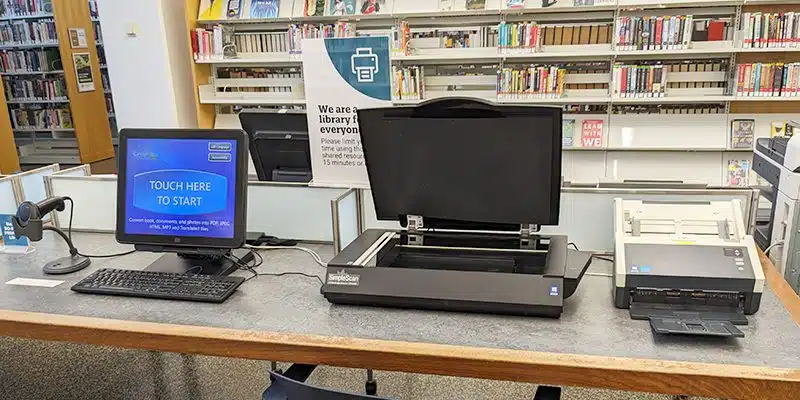
Tech Tips: How to use the scanner at the library

Scan station at the library

Did you know? You can scan documents for free at any Oak Park library location. Scan equipment is available on the Main Library’s third floor and at the Maze and Dole branches. Using the scanner, you can send your scan to copy (print), fax, email, save to a USB, or scan to the cloud storage. … Read more

Tech Tips: How to use Consumer Reports

Two older adults laughing while using a laptop and holding a credit card

Are you thinking about buying a new car, appliance, gadget, or literally anything else, but feeling overwhelmed or not sure where to start? Consumer Reports is designed to help you navigate all of the options and narrow down products based on consumer tests and reviews. Their goal is to create a fair and just marketplace … Read more

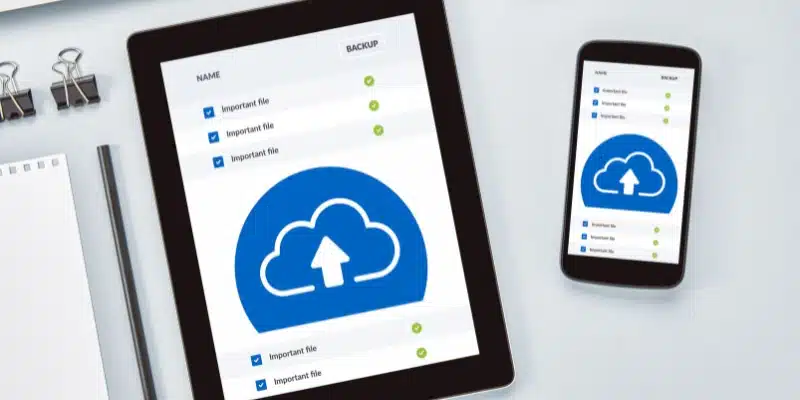
Tech Tips: Getting started with cloud storage

Smartphone and tablet both displaying a list of files to upload to cloud storage

Have you heard people refer to backing up digital files to “the cloud”? Or the term “cloud backup” or “cloud-based storage”? All of these phrases are ways of describing how files are saved to an offsite location that can be accessed remotely. Companies like Apple, Dropbox, Google, and Microsoft store these files for you at … Read more

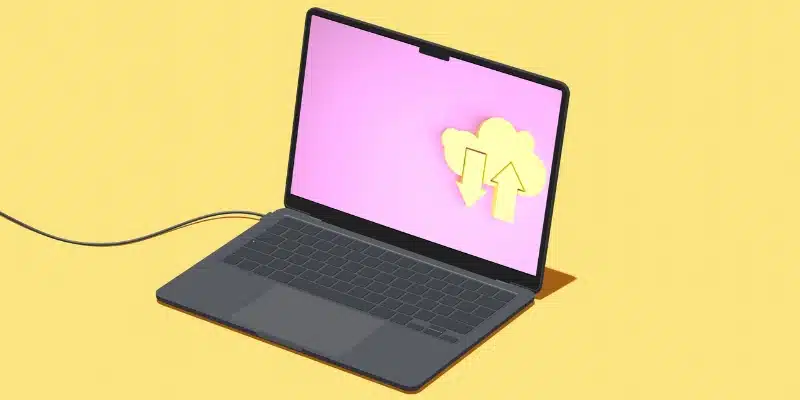
Tech Tips: How to download & upload on a smartphone or device

Graphic displayed on a laptop screen faturing a cloud with one up arrow and one down arrow

Today, it’s easier than ever to get information from the internet using smart devices like phones and tablets. When you use smartphones and tablets, you’ll commonly run into the terms downloading and uploading. These words describe activities you have probably already learned how to do. For example, when you open an email on your phone, … Read more

Tech Tips: How to use the SWAN Libraries + app

SWAN Libraries + app displayed on a smart phone screen with shelves of books in the background

Did you know that there is an app you can use to search for library materials, place holds, and manage your checkouts all in one place? The SWAN Libraries + app makes finding and requesting items easy.  Let’s review a few basics of how to use the SWAN Libraries + app Install the app Download … Read more

Tech Tips: Getting started with LinkedIn Learning

LinkedIn Learning on laptop

LinkedIn Learning is an online learning platform with video tutorials to learn business, software, technology, and creative skills to achieve personal and professional goals. Check out LinkedIn Learning FAQs. Meet LinkedIn Learning With LinkedIn Learning you can: How to log in & get started Watch the LinkedIn Learning video tutorial on this page or follow these … Read more

Tech Tips: How to listen to audiobooks in Libby

Screenshot of audiobook player on Libby app

By John Gargiulo, Supervising Librarian of Creative Technology In an earlier Tech Tips post, I shared tips and tricks on how to read ebooks and digital magazines on Libby with your smartphone or tablet. But did you know you also can listen to thousands of digital audiobooks on the Libby app too? Let’s get started! First, let’s discuss … Read more